


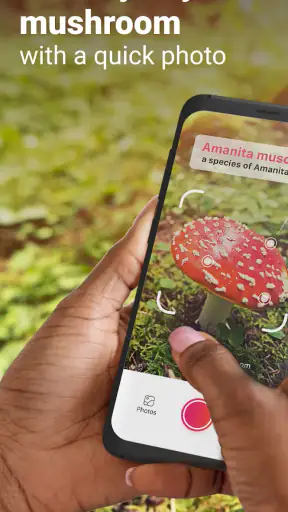
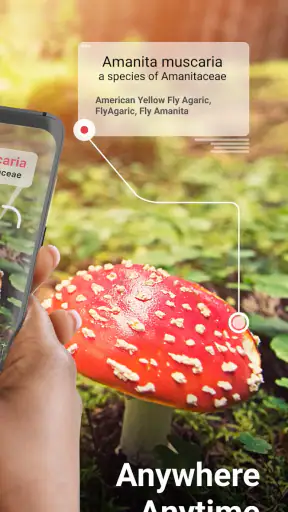
I like mushroom apps most when they help me slow down rather than encourage a rushed guess. Picture Mushroom is an education app from Next Vision Limited that turns a phone camera into a starting point for learning about mushrooms and fungi. I tested it with the mindset of someone walking outdoors, finding an unfamiliar specimen, and wanting useful context before deciding what to do next.
My overall impression is positive, with an important boundary: this is a recognition and reference tool, not a replacement for an experienced forager or a qualified expert. It can make a walk more interesting, help me organize what I have seen, and give me a convenient way to explore fungal names. It should never be treated as permission to eat an uncertain mushroom.
How Picture Mushroom fits into a shared household
The most natural household use is a shared outdoor moment. One person notices a mushroom near a trail, another takes the phone, and everyone gathers around to inspect the result. That makes the app more engaging than a paper guide for quick curiosity, especially when children are asking questions about color, shape, or habitat.
I found that the best shared-device routine is to photograph the specimen where it grows, then review the result together later. Passing the phone around for identification keeps the conversation focused, while looking at the entry afterward turns a brief sighting into a small learning activity. The app works particularly well for families who want to build observation habits without making every walk feel like a formal lesson.
There is also a practical household benefit in keeping the phone with the person who is actually taking the pictures. If several people use one device, the process stays simple: capture the image, inspect the suggested identification, and discuss whether the result seems plausible. I would not rely on one person silently checking the answer and then presenting it as certain to everyone else.
That distinction matters because a photograph can miss details that are important for fungi. Lighting may change the color, the angle may hide the underside, and a young specimen can look different from a mature one. I treat the app’s result as a prompt for closer observation. In a shared setting, that makes it useful for teaching careful thinking instead of rewarding the fastest answer.
A realistic walk-through
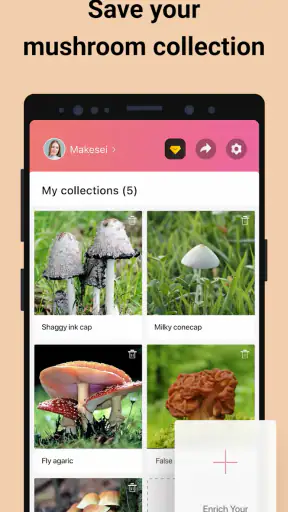
Imagine finding a cluster beside a damp path during a weekend walk. I would first take a clear photo without disturbing it, then make additional images from different angles if the first result seemed uncertain. After checking the suggested match, I would compare the visible features with the information shown in the app and save the observation for later discussion if that option is available in the current experience.
Back at home, the family could revisit the images on the same device and talk about what was visible in the original scene. That second look is more valuable than taking a screenshot and immediately forgetting the encounter. It also creates a useful separation between curiosity outdoors and any serious decision about handling or consuming a mushroom.
The safest household rule is simple: use the app to learn what you may have seen, never to make an eating decision by itself. I would keep that rule especially clear when younger users are involved, because a confident-looking result can be misunderstood as a guarantee.
What setup feels sensible on a shared phone
Picture Mushroom is free to install, and its content rating is Everyone, which makes it approachable for a broad household audience. The current version is 2.9.31, and it requires Android 9 or later on Android devices. Those details are worth checking before handing the phone to a child or taking it on a trip, particularly if the shared device is older.
The app includes optional in-app purchases ranging from $0.99 to $32.99 per item. I would establish the household rule before letting someone explore every screen: free access is one thing, while tapping a purchase prompt is another. On a shared device, the person holding the phone may not be the person who manages spending, so a quick conversation prevents accidental assumptions.
I also recommend deciding who will take responsibility for the camera work. A child can lead the observation and describe the mushroom, while an adult handles the final review and explains why an identification is not automatically safe. This is not about making the activity restrictive; it is about matching responsibility to the consequences of a mistaken interpretation.
Another useful boundary is separating personal photos from shared discoveries. If the phone contains family images, I would avoid handing it over casually and would review the app’s current access requests during setup. I do not assume that an education app should automatically have more access than it needs for the task at hand.
Coordinating observations without overcomplicating them
For a household that explores together, a small routine works better than trying to document every mushroom perfectly. I would give each outing a simple purpose: identify a few interesting finds, learn one new feature, and leave uncertain specimens alone. That keeps the app from turning a relaxed walk into a race to collect results.
When several people are contributing, I would ask the photographer to say where the mushroom was found and what caught their attention before opening the result. This avoids anchoring everyone on the first suggested name. It also turns the app into a conversation tool: the image provides evidence, while the group still practices independent observation.
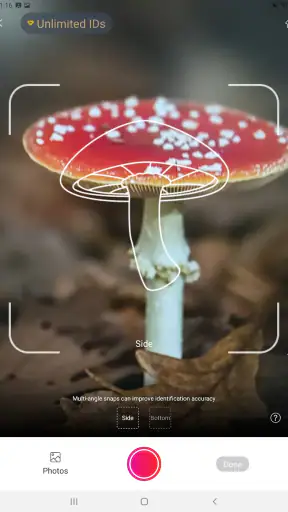
A particularly useful workflow is to photograph the top, side, and underside when it is safe and appropriate to do so without touching or damaging the specimen. The extra views can make later comparison more meaningful than one close-up taken under harsh sunlight. I would also include something that shows scale, such as a nearby leaf, while avoiding any contact that could disturb the environment.
For shared learning, I prefer reviewing several observations at home rather than repeatedly stopping during a walk. The group can compare why two mushrooms that look similar at first glance produced different suggestions, or why a blurry image was less helpful. This makes the experience educational even when the app does not provide a definitive answer.
There is a trade-off here. The more carefully the household documents a find, the more time the activity takes. People who want instant answers may find that frustrating, while people who enjoy nature journaling may appreciate the slower pace. Picture Mushroom is strongest when used as part of observation, not as an automatic shortcut around it.
Age, trust, and the limits of an identification result
The Everyone rating makes sense for the app’s educational subject matter, but an age label does not remove the need for supervision around real mushrooms. A child can safely learn names and visual differences through the screen, yet the outdoor specimen itself may still be unsafe to touch or ingest. I would make that distinction explicit before the first outing.
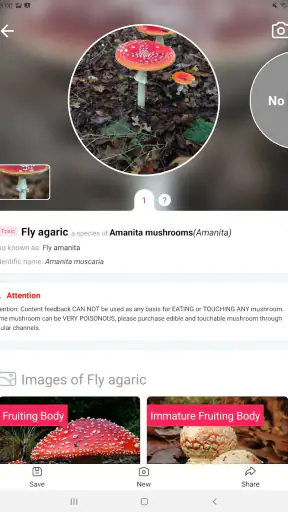
I would also avoid presenting the app as an authority. Even when a result looks convincing, I would describe it as “the app’s suggestion” rather than “what this definitely is.” That wording encourages healthy skepticism and helps children understand that visual recognition has limits.
Trust is especially important when one household member is more experienced than another. A confident adult can accidentally shut down questions by treating the result as final; a better approach is to ask what features support the match and what details remain unclear. In my experience, this makes the app more useful because it teaches users how to evaluate information instead of merely accepting it.
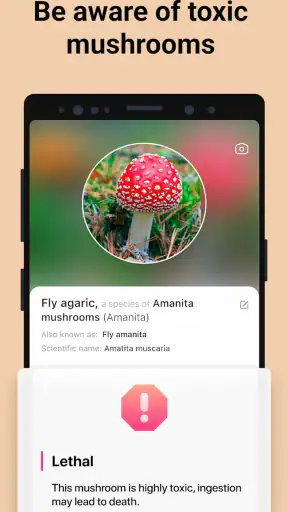
For anyone planning to forage, this caution is non-negotiable. I would compare the result with a reputable regional field guide and, where necessary, consult a local expert before making any decision about consumption. A general-purpose identification app may be convenient, but local species, lookalikes, growth stages, and regional knowledge can matter more than a polished screen.
People with allergies or other health concerns should be even more conservative. I would not use an app-based match to decide whether a mushroom is harmless, medicinal, or suitable for a particular person. The educational value remains, but the practical threshold for action should come from qualified human guidance.
Where it beats ordinary alternatives
Compared with searching through a printed mushroom guide, the camera-first approach is quicker when I do not know where to begin. A book often requires me to recognize the right category before I can find a likely entry. Picture Mushroom reverses that process: I start with an image, then use the suggested direction to investigate further.
Compared with a general web search, the app feels more focused. Search results can mix edible varieties, dangerous lookalikes, unrelated photos, and regional information without a clear path. A dedicated fungi reference gives the activity a more coherent shape, especially for beginners who do not yet know which visual terms to use.
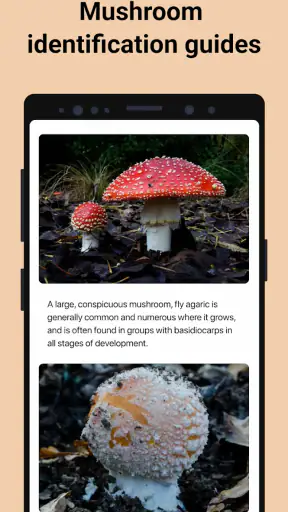
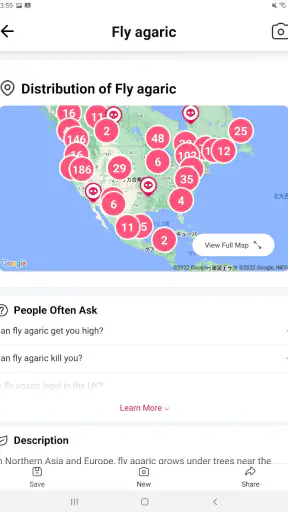
That convenience does not make it superior in every situation. A good field guide can offer deeper regional context and carefully organized comparisons, while an experienced identifier can notice texture, smell, habitat, and other details that a single photo cannot capture. If I were planning a serious foraging trip, I would use Picture Mushroom as one layer of research rather than my only source.
It is also different from a simple camera search tool because the subject is narrow enough to encourage repeated learning. After several outings, I began noticing features before taking a picture: whether the cap was smooth or textured, how the stem was shaped, and what the surrounding ground looked like. That is the kind of progress I want from an education app.
Small techniques that improve the experience
First, I avoid photographing only the most attractive angle. A centered image of the cap may be visually pleasing but not especially informative. I get close enough for detail, keep the specimen in focus, and take a second view that shows the relationship between cap and stem.
Second, I do not let a surprising result end the investigation. If the suggested identification seems inconsistent with the visible shape or setting, I retake the image instead of forcing the answer to fit. This is one of the app’s most useful lessons: a weak input can produce a weak starting point, and the solution is better observation rather than blind confidence.
Third, I use the app as a memory aid for questions. When I see an unfamiliar fungus, I note what I want to investigate later: why it grows in that place, which features distinguish it from a similar species, or whether the name changes across regions. Those questions make the app more valuable than simply collecting labels.
Fourth, I keep outdoor use separate from purchase decisions. Since the app is free but includes optional purchases, I would review any upgrade prompt calmly at home rather than tapping through it during a walk. The free starting point is enough to decide whether the identification style suits the household before spending anything.
Finally, I would keep the app updated when practical, but I would not assume that a newer version changes the basic safety limits of image recognition. The current release is 2.9.31; regardless of version, a photo remains a photo, and expert judgment remains important for high-stakes choices.
Who should use it, and who should skip it?
I recommend Picture Mushroom to curious beginners, families looking for an outdoor learning prompt, nature photographers, and students who want a convenient way to start researching fungi. It is also a good fit for someone who enjoys identifying plants and animals but wants a more approachable entry into mushrooms.
I would be more cautious recommending it to a person whose main goal is safe, confident foraging. That user needs regional expertise, multiple sources, and a reliable way to verify lookalikes. The app can still be part of that process, but it should not be the deciding authority.
Someone who dislikes taking photos or prefers a comprehensive printed reference may find the camera workflow less satisfying. Likewise, users on an older Android phone should check compatibility before planning a trip, since Android 9 is the minimum operating system requirement.
The rating gives a useful sense of its broad appeal: Picture Mushroom holds a 4.1 average from around 17 thousand ratings, with about 1.2 thousand written reviews. It has also passed one million installs, so it is not an obscure experiment. Those figures suggest a well-established consumer app, though they do not change the need to judge each identification carefully.
My household verdict
Picture Mushroom earns a place on my phone because it makes a specialized subject approachable without demanding that I already know mushroom terminology. I enjoy the way it turns an ordinary walk into a reason to look more closely, and I think it works particularly well when a family treats the result as the beginning of a discussion.
The strongest household setup is one with clear boundaries: one person manages purchases, an adult explains the difference between recognition and safety, and everyone understands that uncertain specimens stay untouched. Those rules do not take away from the fun; they make the app’s educational role clearer.
My final recommendation is to use it for curiosity, documentation, and guided learning. Keep a field guide or knowledgeable human in the process when the stakes rise, and never let a suggested match decide what anyone eats. At no cost to start, with an Everyone rating and a focused fungi reference, it is an easy app to try. Just use its convenience as a reason to observe better, not as a reason to stop checking.


